In this guide
- Our Short Verdict: Is GoHighLevel Worth It?
- What Is This GoHighLevel Review Based On?
- Where GoHighLevel Is Strongest in Practice
- What Are the Real Cons of GoHighLevel?
- GoHighLevel Pricing: What You Actually Pay
- Is It the Platform or the Setup?
- Who Is GoHighLevel Best For?
- Who Should Skip GoHighLevel?
- What Does GoHighLevel Replace, and What Does It Not?
- How Does GoHighLevel Compare With the Alternatives?
- Our GoHighLevel Scorecard
- GoHighLevel Pros and Cons at a Glance
- The Setup Reality: What It Takes to Get Value
- Should You Set Up GoHighLevel Yourself or Get Help?
- Frequently Asked Questions About GoHighLevel
- Our Final Verdict on GoHighLevel
GoHighLevel is worth it for agencies and lead-driven service businesses that will put real time into setup, or pay someone who will. In our builds it is the strongest all-in-one tool for automated follow-up and for running many client accounts. It is a poor fit if you want a simple tool that works the day you log in.
We hear the same story on discovery calls almost every week. An owner watched a demo, saw a missed call get a text back in seconds, and signed up that night. Three weeks later the account has two half-built funnels, a pipeline nobody updates, texts stuck in A2P review and emails landing in spam. Now they are asking whether GoHighLevel is bad software or whether they did something wrong. The honest answer is usually a bit of both, and that is what this review is about.
One thing you should know up front: iBoostin builds, fixes and manages GoHighLevel accounts for clients, so we have an interest in people using it well. HighLevel did not pay for this review, and there are no affiliate links on this page. What follows comes from the iBoostin team’s hands-on builds: our short verdict, the features that hold up in daily use, the cons that cost people time, who should skip it and what setup really takes. If you are new to the platform, start with what GoHighLevel is and how it works, because this review judges the features rather than explaining them.
Key takeaways
- GoHighLevel fits agencies, local service businesses and coaches whose revenue depends on fast follow-up and booked appointments.
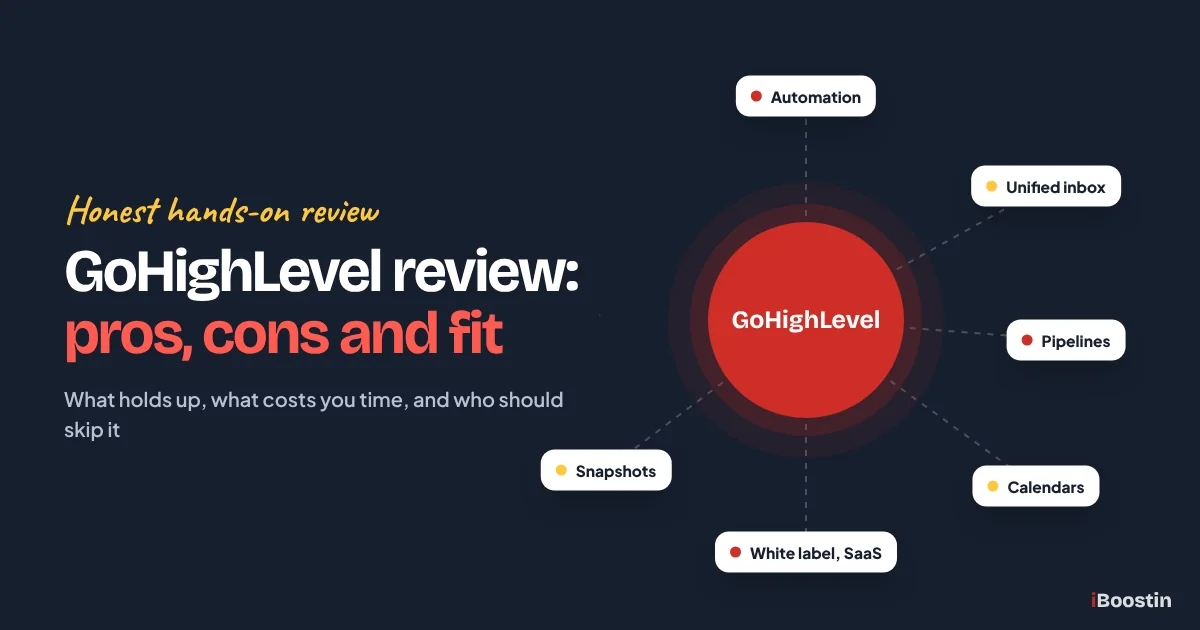
- Its strongest features in practice are workflow automation, the unified inbox, pipelines, calendars, snapshots and, for agencies, white label and SaaS mode.
- The real cons are a steep learning curve, slow setup, deliverability and A2P work, uneven support, a moving interface and usage costs on top of the plan.
- Many complaints we see are setup problems, not platform problems. Some limits are real, though: several tools are shallower than specialist software.
- Plans cost $97, $297 or $497 a month, but usage fees and setup time decide the real cost.
- Skip it if your revenue comes mainly from an online store, you need an enterprise sales CRM, or nobody will own the setup.
Our Short Verdict: Is GoHighLevel Worth It?
Yes for the right business, and no for a fair number of the people who buy it. GoHighLevel does more in one account than any other tool we work with. When it is set up properly, it answers leads faster and more consistently than most teams ever manage by hand. But it asks a lot of you before it gives anything back, and that is where most disappointment starts.
This is the verdict we give on discovery calls, in table form.
| Use GoHighLevel if | Skip it or wait if | |
|---|---|---|
| Your revenue | Depends on leads, calls and booked appointments | Comes mostly from an online store checkout |
| Your team | Someone will own the system, or you will hire help | Nobody has time to learn or maintain it |
| Your current tools | You pay for several tools that do not talk to each other | One simple CRM or email tool already covers you |
| Your sales process | Short to medium cycles with clear stages | Long enterprise deals with many approvals |
| Agencies | You serve several clients with similar needs | You only want a reporting dashboard for clients |

If most of your answers land in the left column, GoHighLevel is likely worth it for you. If they land on the right, a simpler or more specialist tool will probably serve you better, and there is no shame in that. The rest of this review explains how we reached that verdict, feature by feature and con by con.
What Is This GoHighLevel Review Based On?
This is not a feature tour written during a free trial. It comes from building and maintaining real GoHighLevel accounts: home service companies, clinics, coaches, a car rental business and agencies that run GHL for their own clients, including one we manage month to month. We work inside agency views and sub-accounts every week. That means we see the platform when it works well and when something quietly breaks.
On every build we go through the same core pieces, so our judgment rests on the parts that make or break an account, not on menus we clicked once:
- Sending domain setup and test sends to real inboxes
- Phone numbers, A2P 10DLC registration and missed call text back
- Pipelines and stages built around how the client actually sells
- Calendars, reminders, reschedules and no-show follow-up
- Workflows tested as a fake lead, including STOP replies and after-hours cases
- Snapshots loaded into new sub-accounts and then adjusted
- Conversation AI trained on real services and tested before it talks to leads

Our angle, stated plainly
iBoostin earns money building, fixing and managing GoHighLevel accounts. So we benefit when businesses choose GoHighLevel, and we also benefit when they struggle with it and need help. We think that makes us useful reviewers, because we see both sides every month. Still, you should read this review knowing where we stand.
HighLevel did not pay for or approve this review, and nothing on this page is an affiliate link. We also made two choices to keep it honest. There are no star ratings or scores, because one number hides the fact that GoHighLevel can be excellent for one business and wrong for the next. There are no prices either, because HighLevel changes plans and usage rates often and any figure we printed would age badly. Check current pricing on HighLevel’s site and in your account before you decide.
What we did not test
We do not run large online stores on GoHighLevel, so our view of its e-commerce tools comes from small product setups, not high-volume retail. We also do not store regulated patient records in client accounts. Clinics we work with use GoHighLevel for booking and follow-up, and keep clinical data in their practice software.
We use memberships and communities less than funnels, CRM and automation, so our comments on course delivery are lighter. Where we have less hands-on experience, we say so in the section. That is a better deal for you than a review that claims expertise in every corner of a platform this large.
Where GoHighLevel Is Strongest in Practice
These are the features that keep our clients on the platform. Each one earns its place, and each one has limits you will hit sooner or later. We judge them here rather than explain them, so if a term is new to you, the pillar guide covers what it does.
Workflow automation
Workflows are the main reason businesses stay on GoHighLevel. In the accounts we set up, one speed-to-lead workflow often does more for a client than any other change: the lead gets a text within seconds, the owner gets a notification and the deal lands in the right pipeline stage without anyone typing. Because the trigger, the contact record, the inbox and the calendar live in one place, you do not need a chain of connectors between five tools to make that happen. When we move clients off stitched-together stacks, fewer moving parts is the first thing they notice.
The builder has matured a lot. Triggers cover forms, calls, bookings, tags, pipeline changes, payments and incoming messages. If/else branches, wait steps and goal events let you build real logic, and webhooks let a workflow reach outside tools. For a service business, that is enough to automate nearly every follow-up task we are asked about.
Where it falls short: the flexibility cuts both ways. It is easy to build two workflows that fire on the same event and send a lead duplicate texts, or to leave a filter off a trigger so every form in the account starts a sequence meant for one. Workflows also fail quietly. A missing phone number, a workflow left in draft or a contact without consent means nothing goes out, and nothing warns you loudly. Our guide on why a GoHighLevel workflow is not triggering exists because we fix these every week.
Debugging is the other weak spot. The execution history on each contact helps, but tracing a problem across several workflows that hand off to each other takes patience. We keep workflows small, clearly named and documented, which is discipline the tool does not force on you. If you want the basics done right from the start, our walkthrough on how to build workflows in GoHighLevel shows the structure we use.
Unified conversations inbox
One thread per contact, with SMS, email, Facebook, Instagram, Google Business Profile messages, website chat and WhatsApp in the same place, is a real upgrade for small teams. Owners stop asking which app a customer used. When a lead replies to an automated text, the reply sits next to the full history, so whoever picks it up knows what was already said and promised.
The LeadConnector mobile app makes this practical for owners who spend the day on job sites. They can answer a lead from the van, check the booking and move the deal without logging into anything else. For a two or three person business, that alone changes how fast leads get a human reply.
Where it falls short: the inbox is built for sales conversations, not for heavy support desks. If you handle a large volume of tickets with service levels, macros, routing rules and detailed agent reporting, a dedicated help desk still does that better. Channel connections also need watching. A Facebook page permission that lapses or a WhatsApp setup that was never finished means messages stop arriving, and the inbox does not shout about it.
Notifications are noisy until you tune them. In the accounts we set up, we decide early who gets which alerts and we assign conversations to users. Without that, everyone gets everything, and the one reply that matters gets lost in the noise.
Pipelines and opportunities
Pipelines are quick to build and easy for owners to read, which is exactly what most small businesses need. A plumber or a med spa does not need dozens of deal properties. They need to see who is new, who is booked, who got a quote and who paid. Because workflows can move cards when someone books, pays or goes quiet, the board stays closer to the truth than a CRM that depends on staff typing updates.
Opportunity values add up by stage, so an owner can see roughly what sits in the pipeline without opening a spreadsheet. For many of our clients, that board becomes the screen they open first every morning.
Where it falls short: compared with a dedicated sales CRM, the pipeline side is lighter. Forecasting, deal approvals, territory management and deep sales reporting are thinner than what sales-led teams get from specialist CRMs. If you run a B2B sales team with long cycles, several decision makers per deal and quota reporting, you will feel the gap within weeks.
The other limit is human. Pipelines only stay useful when stages match how you really sell. We often inherit pipelines with ten or more stages copied from a template, half of them never used. A short pipeline moved by automation beats a detailed board nobody maintains.
Calendars and booking
Calendars are one of the parts that work well for most clients with little fuss. Round-robin for teams, buffers, minimum notice, Google and Outlook sync, and reminders by text and email cover what a typical service business needs. Because each booking sits on the contact and can start a workflow, confirmations, reminders, no-show follow-up and the next pipeline stage all happen without extra tools.
For clients moving from a separate scheduling app, the gain is mostly in what happens after the booking. The scheduler and the follow-up finally share the same data, so a no-show can get a rebooking text automatically instead of being forgotten.
Where it falls short: calendar settings are spread across several tabs, and some of them interact in ways that confuse people, such as availability set on the calendar versus on the team member. Sync problems usually trace back to a calendar connected to the wrong user or a conflict calendar that was never selected. Reminders also double up when you switch on the built-in notifications and build reminder workflows too, which we see in a lot of inherited accounts.
Businesses with complex resource scheduling may find the calendars too general. If rooms, equipment and staff all need to line up, or bookings must tie into clinical intake and deposits inside an industry system, we usually keep that system and connect GoHighLevel around it.
White label and SaaS mode for agencies
For agencies, this is the feature set we have not seen matched in one platform. You can put your own domain on the login page and your branding in the desktop app, and give each client a sub-account that looks like your software. On the top agency plan, SaaS mode lets you sell plans to clients, bill them automatically and rebill usage such as texts and emails. HighLevel’s current help docs list Stripe and several other payment providers for SaaS billing. Agencies that package a niche offer, such as a system for roofers or dentists, can turn a service into recurring software revenue.
White label helps even agencies that never resell software. Clients log into a branded portal, the agency looks established, and the relationship stays with the agency rather than with HighLevel.
Where it falls short: branding is not complete on every plan. A fully branded mobile app in the app stores is a paid add-on on most plans, so many clients still use the LeadConnector app. SaaS mode and markup on rebilled usage sit on the top agency tier only. Plan names and inclusions change, so check the current plan details before you build a business model around them.
The bigger limit is the business model, not the software. Selling software means you own the client’s onboarding, support and churn. We see agencies launch SaaS offers before they have a tested snapshot or a support process, and no platform fixes that. If you want to offer GoHighLevel under your brand without building a delivery team first, white label GoHighLevel fulfillment is one way to cover the build work.
Snapshots
Snapshots save agencies more time than almost anything else in the platform. A tested setup of pipelines, workflows, calendars, forms, funnels, custom fields and templates loads into a new sub-account, so client twenty starts from the same proven base as client two. In our own delivery, snapshots are how we keep builds consistent and how we roll an improvement out to the accounts that need it.
They help single businesses too. A company opening a second location can start the new sub-account from the first one’s setup instead of rebuilding by hand, and both locations then follow the same process.
Where it falls short: snapshots copy structure, not a working system. Phone numbers, domains, A2P registration, integrations, users, calendars linked to real people and the contacts themselves do not come across. Message copy written for one business often goes out to another business’s leads unchanged. Pushing snapshot updates to accounts that already have it needs care, because you can overwrite changes a client made.
Bought snapshots are the other trap. Marketplace snapshots promise a full system in an afternoon, but most we audit need real rework: generic messages, triggers pointing at forms that were renamed, and workflows nobody on the team understands. Treat any snapshot as a starting point you will test and edit, not a finished product.
AI features: useful once trained
Conversation AI and Voice AI are now a large part of HighLevel’s pitch. When trained on a client’s real services, hours, service area and booking rules, Conversation AI answers routine questions and books appointments after hours. That matters for businesses that lose leads at night and on weekends. The AI helpers for content, workflows and funnels also give you a fast first draft.
Because the bots work inside the same contact record and inbox, a person can pick up a conversation exactly where the bot left off, with full context. That handoff is the part we value most, more than any single AI feature.
Where it falls short: out of the box, the bots are generic and sometimes confidently wrong. They need training content, clear rules about what not to say, a handoff to a person and testing with awkward questions before they go live. AI is also billed on a usage basis on top of your plan, so heavy use raises the monthly bill. Our guide on how to set up Conversation AI in GoHighLevel covers the training and testing we do before any bot talks to a real lead.
Keep expectations grounded. An AI bot can handle the first reply and simple bookings well. It should not negotiate prices or handle complaints without a person close by.
What Are the Real Cons of GoHighLevel?
Every platform has weaknesses. These are the ones that cost our clients time and money before they came to us, listed roughly by how often we see them.
The learning curve is steep
GoHighLevel has hundreds of settings spread across the agency view, the sub-account and each feature’s own settings. New users often cannot tell whether something belongs at agency level or in the sub-account. The same idea, such as a sender address or a time zone, can be set in more than one place. Owners who expected something like a simple scheduler or email app are surprised by how much there is to learn.
The learning is front-loaded. Once the core is built, daily use of the inbox, pipeline and calendar is straightforward. The pain sits in the build phase, which is exactly when most owners are also running their business. Plan for that instead of hoping the curve will be gentle.
Setup takes longer than the demo suggests
Demos show a finished system. They do not show the work behind it: sending domain and DNS records, phone numbers and registration, integrations, custom fields, pipeline design, calendars for each team member, forms and workflows, all tested as a fake lead. In our builds, setup time depends less on clicking and more on decisions. Which stages do you really use? What should a lead receive at each step? Who gets notified when?
Outside approvals stretch the timeline too. A2P registration waits on carrier review, domain verification waits on DNS changes, and Facebook or Google connections wait on whoever holds admin access to those accounts. A business that signs up expecting to be live by the weekend usually is not.
Deliverability and A2P work are your job
Email deliverability in GoHighLevel depends heavily on your setup. Without a dedicated sending domain, correct SPF, DKIM and DMARC records, a warm-up period and a clean list, emails are more likely to land in spam. The platform gives you the tools but does not force you to use them, so many accounts send from defaults for months. Our guide on why GoHighLevel emails land in spam covers the fixes.
Texting has its own gate. In the US, business texting from local numbers needs A2P 10DLC brand and campaign registration, and carriers reject submissions when the website, privacy policy or opt-in wording is weak. This is a carrier rule, not a HighLevel invention, but it lands on you either way. Outside the US, number rules vary by country, and some countries ask for business documents before a number is issued. Our walkthrough on how to register for A2P 10DLC in GoHighLevel shows what reviewers look for.
Some tools are shallower than specialist software
GoHighLevel does many things well enough and a few things very well. Where specialist tools go deeper, you notice. Email segmentation and reporting are lighter than in dedicated email platforms. The site builder is less flexible than a full CMS for large or complex websites. E-commerce is basic next to a dedicated store platform, and course delivery lacks the learning features of a real course platform. Reporting is broad, but multi-touch attribution and custom analysis are thinner than in dedicated analytics tools.
For most service businesses, good enough in one place beats excellent in five places. But if one function drives most of your revenue, such as a large store or a content-heavy website, keep the specialist tool for that job and run GoHighLevel around it. Several of our clients keep their main website on WordPress and run funnels, CRM and follow-up in GoHighLevel.
The support experience is uneven
HighLevel offers several support routes: in-app live chat (an AI assistant first, then a human agent), live Zoom support rooms, tickets handled by email, and phone lines for billing and login problems. New accounts get onboarding help in the early weeks, and there is a large user community plus regular live Q&A and demo sessions. On paper, that is more access than many software companies give.
In practice, the experience varies. Simple questions get quick answers. Complex problems that cross workflows, phone carriers and integrations often take several rounds, and first replies can be generic. One detail catches agency clients out: the support button is visible to agency-level users, not to sub-account users. So a business inside an agency’s account gets support through that agency, not directly. HighLevel also sells a premium support upgrade for faster service, so check what it includes before you rely on it.
The interface changes often
HighLevel ships updates at a pace few platforms match, and much of it is genuinely useful. The cost is that menus move, labels get renamed and settings migrate to new pages. Tutorials and help articles from a year ago can show screens that no longer exist, and staff trained on one layout get lost after an update.
We handle this by documenting what we build in terms of outcomes, not just click paths, and by recording short walkthrough videos clients can refer back to. If you are learning from video tutorials, check the date before trusting any menu path, and confirm it against HighLevel’s own help center.
Usage-based costs sit on top of the plan
Your plan is not your whole bill. Phone numbers, calls, texts, email sends, premium AI usage and some premium workflow actions are charged on a usage basis. They are paid from a prepaid wallet that tops up from your card when the balance falls below a set level. Add-ons such as a branded mobile app, WhatsApp, HIPAA compliance options and premium support cost extra. We are not listing figures because they change, so check current pricing in your account and on HighLevel’s site.
Two practical warnings. First, if the wallet runs out and a top-up fails, usage-based services such as texting and calling can pause until payment goes through, which silently stops your follow-up. Second, agencies need a plan for these costs: absorb them, build them into the retainer or rebill clients through the platform. Decide before launch, not after the first surprise.

GoHighLevel Pricing: What You Actually Pay
GoHighLevel has three main plans. The base prices below are the ones HighLevel listed in autumn 2026; paying yearly costs about ten months of the monthly price. Always confirm the current numbers on HighLevel’s pricing page before you buy, because plans and limits do change.
| Plan | Monthly | Yearly | Sub-accounts | Best for |
|---|---|---|---|---|
| Starter | $97 | $970 | Up to 3 | One business, or an agency testing with a few clients |
| Unlimited | $297 | $2,970 | Unlimited | Agencies running many client accounts under their own brand |
| Agency Pro | $497 | $4,970 | Unlimited | Agencies reselling the platform as their own software (SaaS mode) |
What the plan price does not include
The plan is the entry ticket, not the full bill. On top of it you pay, through the prepaid wallet, for:
- Phone and texting: numbers, calls and SMS are charged per use, plus carrier registration such as A2P 10DLC in the USA.
- Email sending: sends through HighLevel’s own email service are charged per thousand emails.
- AI features: the AI employee and premium AI actions have their own usage or add-on pricing.
- Optional add-ons: a branded mobile app, WhatsApp, dedicated email IPs, HIPAA options and premium support.
For a single local business, a realistic first-year budget is the plan, plus usage, plus the time or money it takes to build the account properly. That last part is usually the biggest cost, and it is the one most buyers leave out.
Which plan should you pick?
- Starter if you run one business or want to prove the system on your own company first. Three sub-accounts is enough for most single owners.
- Unlimited once you serve more than three clients, or want the white label desktop app and API access for client work.
- Agency Pro only when you will actually sell GoHighLevel as your own software with your own pricing. Paying for SaaS mode you do not use is the most common plan mistake we see.
You can move up a plan later without rebuilding anything, so starting small costs you nothing in data or workflows.
Is It the Platform or the Setup?
Most bad experiences we hear about get blamed on GoHighLevel. Some deserve it. Many come from how the account was built. Before you decide the platform is wrong for you, check which column your problem falls into.
| Complaint | Usually a setup problem when | Usually a platform limit when |
|---|---|---|
| Emails go to spam | You send from a shared or unauthenticated domain | Your domain is authenticated and warmed, your list is clean, and placement is still poor |
| Texts are not delivered | A2P registration is missing, pending or was rejected | Problems continue with an approved campaign and clean opt-in |
| Automations do odd things | Several workflows share a trigger without filters | A documented trigger behaves differently after an update |
| The CRM feels messy | Tags, fields and stages were never planned | You need deal approvals, territories or forecasting |
| Reports do not match reality | Lead sources and tracking were never captured | You need multi-touch attribution across many channels |
| Pages feel limited | Pages were built from a cluttered template | You need a large content site with complex design |
If your problem sits in the middle column, fix the setup before you switch platforms. Moving to a new tool with the same habits usually brings the same problems with a new logo. If it sits in the right column, those are real limits worth weighing, and they may point you toward a specialist tool for that one job.
We find this split matters more than any pros and cons list. Two businesses can use the same platform, on the same plan, with opposite results, and the difference is almost always in the build.
Who Is GoHighLevel Best For?
GoHighLevel suits businesses that make money from leads and appointments, plus the agencies that serve them. These three groups get the most from it in our experience.
Marketing agencies
Agencies are who HighLevel built the platform for, and it shows. Sub-accounts keep each client’s data separate, snapshots make onboarding repeatable, and white label puts the agency’s brand on the software. An agency that serves one niche well, such as roofers, med spas or real estate teams, can build one strong snapshot and deliver it again and again with small changes.
The agencies that do best treat GoHighLevel as a delivery system, not a product they hand over. They have a tested build, a support routine and a clear plan for usage costs. The ones that struggle sign up clients first and work out delivery later. If that sounds like your agency, start with two or three clients and a documented process before scaling.
Local service businesses
Home services, clinics, med spas, dentists, law firms, real estate agents, car rental and travel businesses all share one trait: a lead that waits too long calls a competitor. GoHighLevel is built for that problem. Missed call text back, instant replies to form fills, booking links, reminders and review requests cover most of what these businesses need to stop leads leaking.
They get the most value when leads arrive by phone, forms and ads, and when the owner or office manager will actually use the inbox and pipeline. Clinics should confirm what HIPAA compliance options are available on their plan before storing anything sensitive, and usually keep clinical records in their practice software.
Coaches and consultants
Coaches and consultants use GoHighLevel to run the sales side of their business: lead magnet funnels, application forms, discovery call calendars, payments and long nurture sequences. Comment-to-message automations on social platforms and quick follow-up after a webinar or free call are where we see coaches get the clearest gains.
The weak spot is delivery. Memberships and communities work for simple programs, but coaches with large course libraries, quizzes, certificates or structured learning paths often keep a dedicated course platform for teaching and use GoHighLevel to sell. That split is a sensible setup, not a failure.
Who Should Skip GoHighLevel?
GoHighLevel is the wrong choice for some businesses no matter how well it is set up. Here is who we tell to look elsewhere.
Online stores whose revenue is the checkout
If most of your revenue comes from people adding products to a cart, a dedicated e-commerce platform handles inventory, variants, shipping rules, taxes and store apps far better. GoHighLevel can sell a few products in a funnel, but it is not built to run a large catalog.
Some stores still use GoHighLevel next to their shop for SMS follow-up or wholesale lead handling. That can work, but buy it for that narrow job, not as a replacement for your store.
Sales teams that need an enterprise CRM
Large B2B sales teams with long cycles, many stakeholders, territories, forecasting and strict permission models need a CRM built for that complexity. GoHighLevel’s CRM is designed for speed and simplicity, which is a strength for small teams and a limit for big ones.
If your sales managers live in forecast reports and pipeline analytics, you will outgrow it quickly. A specialist sales CRM, connected to a marketing tool, will serve you better.
Businesses with nobody to own the system
GoHighLevel does not run itself. Someone has to check that workflows still fire, that the wallet is funded, that channels stay connected and that new staff know how to use the inbox. If nobody on your team has that time, and you do not plan to pay for help, the account will drift.
We see this pattern often: a solid build, then six months with no owner, broken integrations and leads going unanswered. The software was fine. The ownership was missing.
Anyone who wants one simple tool
If all you need is a booking link, a basic email newsletter or a contact list, GoHighLevel is far more than you need. You will pay for features you never touch and spend time learning menus that do not matter to you.
Simple tools that do one job are fine. Come back to GoHighLevel when you need those jobs connected and automated.
What Does GoHighLevel Replace, and What Does It Not?
The pillar guide lists the tool categories GoHighLevel overlaps with. The more useful question for a buying decision is how confident you can be when you cancel each one. This is how we advise clients.
| Decision | Tool categories | Why |
|---|---|---|
| Replace with confidence | Scheduling, business texting, review requests, website chat, simple landing pages, basic contact management | GoHighLevel matches what most small businesses use these tools for |
| Replace with care | Email marketing, sales CRM, funnel builders, course hosting, social scheduling | Fine for most, but check the features you rely on daily before canceling |
| Keep and connect | Accounting, e-commerce platforms, industry systems such as practice management or field service, large content websites, help desks | GoHighLevel is not built to do these jobs |
The middle row is where mistakes happen. A client cancels an email platform, then finds the advanced segmentation or reporting they used every week works differently in GoHighLevel. Before you cancel anything in that row, list the three features you use most and test each one in GoHighLevel first.
When you do switch, run both systems side by side for a short period. Export contacts with their tags and history, rebuild the automations that matter, and move sending to the new domain gradually rather than all at once. If you have years of data and automations in another platform, our GoHighLevel migration service handles the move so nothing is lost in between.
How Does GoHighLevel Compare With the Alternatives?
GoHighLevel competes with several categories of software at once, so the honest comparison is category by category. Here is how it stacks up against the tools our clients most often consider.
Sales CRMs (HubSpot, Pipedrive, Salesforce). These have deeper sales reporting, cleaner interfaces and stronger permission and forecasting tools. GoHighLevel wins on built-in texting, calling, booking, review requests and running many client accounts from one login. Sales-led teams lean toward the CRMs. Lead-driven local businesses usually lean toward GoHighLevel.
Email and automation platforms (ActiveCampaign, Keap). ActiveCampaign goes deeper on email segmentation and reporting. Keap targets similar small businesses with automation and sales tools. GoHighLevel covers more channels in one place, especially SMS, calls and social messages, and adds the agency layer neither is built around.
Funnel and course platforms (ClickFunnels, Kajabi). ClickFunnels focuses on funnels and offers, and Kajabi is stronger for course delivery and creator businesses. GoHighLevel has more CRM, pipeline and messaging power, but a weaker learning experience for students.
Local messaging and review platforms (Podium, Birdeye). These feel polished and are easy for front-desk teams to adopt. GoHighLevel does messaging and reviews plus CRM, automation, funnels and calendars, at the cost of a steeper start.
Agency platforms (Vendasta). Vendasta also serves agencies with white label tools and a marketplace of products to resell. GoHighLevel is more focused on running the client’s lead handling and automation inside each sub-account.

The pattern is consistent. GoHighLevel rarely beats the best specialist in that specialist’s own area. It wins when you value everything connected in one contact record more than maximum depth in any one feature. If you only need one of these jobs done, the specialist is often the better buy. If you need five of them connected, GoHighLevel usually is.
Our GoHighLevel Scorecard
This is how the platform scores in our own builds, area by area. It is our judgment from hands-on client work, not a survey of other reviews.
| Area | Our rating | In one line |
|---|---|---|
| Workflow automation | Strong | The best reason to buy it; follow-up runs without anyone touching it |
| Unified inbox | Strong | SMS, email, social and chat in one place, once channels are connected |
| Pipelines and calendars | Good | Simple and reliable for service sales, light for complex deals |
| White label and SaaS mode | Strong | Unmatched value for agencies at this price |
| Funnels and websites | Good | Fine for lead pages, weaker than a real website builder for SEO |
| Email and SMS deliverability | Mixed | Works well only after domain, DNS and A2P setup are done right |
| Ease of use | Weak | Steep learning curve and an interface that changes often |
| Support | Mixed | Fast for simple questions, uneven for complex account issues |
| Value for money | Strong | Replaces several paid tools, if you actually use what you pay for |
GoHighLevel Pros and Cons at a Glance
Here is the whole review in one table, based on what we see across client accounts rather than feature lists.
| Pros | Cons |
|---|---|
| Automation that connects lead capture, follow-up, booking and pipeline in one place | Steep learning curve with settings spread across many screens |
| One inbox for SMS, email, social, Google and web chat, with a usable mobile app | Setup takes longer than demos suggest, and outside approvals add delays |
| Simple pipelines owners actually read, moved by automation | Deliverability and A2P registration need careful technical work |
| Calendars with reminders and no-show follow-up built in | Several tools are shallower than specialist software |
| Snapshots that make agency onboarding repeatable | Support quality varies on complex problems |
| White label and SaaS mode for agencies on higher plans | The interface changes often, which dates training material |
| AI tools that can reply and book after hours once trained | Usage-based costs and add-ons sit on top of the plan |
| Fast product development with frequent new features | Fails quietly when channels, wallet or workflows break |
Read the two columns together. Most items on the left only pay off if the matching item on the right is handled. Great automation needs a careful build. A useful inbox needs channels that stay connected. The platform gives you a lot of power, and the cons are mostly the price of that power.
The Setup Reality: What It Takes to Get Value
GoHighLevel does not start paying for itself the day you sign up. It starts when your first real lead is handled automatically: replied to, booked, reminded and tracked without anyone chasing it. Everything before that is investment.

In the accounts we set up, the path looks like this:
- Decide your real sales stages and what a lead should receive at each one.
- Connect a dedicated sending domain with SPF, DKIM and DMARC.
- Get a phone number and file A2P registration early if you text in the US.
- Build your data structure: custom fields, tags and pipeline stages.
- Build the lead path: forms, calendars and at least one page.
- Create a few core workflows, such as speed to lead, missed call text back and reminders.
- Test every path as a fake lead, including cancellations, reschedules and STOP replies.
- Train your team on the inbox, the pipeline and the mobile app.
Our full guide on how to set up GoHighLevel from scratch walks through each step with current menu paths. Before you start, gather what slows most builds down: admin access to your domain’s DNS, admin access to your Facebook and Google Business Profile, your business registration details for A2P, and a clear idea of how you sell today.
Time depends on decisions and approvals more than effort. If you make decisions quickly, a basic working setup can come together within days. A fuller build with funnels, integrations and testing usually takes one to a few weeks, mostly because carrier and domain checks are outside your control. If you work in the UK or the Gulf, also confirm which channels your customers prefer. WhatsApp often matters more than SMS there, and phone number rules differ from the US.
Common mistake: building funnels and ads first because they are the fun part, then switching on traffic before the domain, A2P and workflows are ready. Leads arrive, texts fail, emails go to spam, and the first impression is lost. Foundations first, traffic last.
Should You Set Up GoHighLevel Yourself or Get Help?
You can set up GoHighLevel yourself. Plenty of owners do, and they end up understanding their system deeply. Doing it yourself makes sense when you enjoy learning software, have several weeks of spare evenings, run a simple process and do not yet have leads arriving that you could lose.
Getting help makes sense when your time is better spent selling, when ads are already running, when A2P has been rejected or when you are an agency onboarding clients faster than you can build. It also makes sense for ongoing care: someone has to watch workflows, channels and the wallet after launch, which is what GoHighLevel management covers.
| Do it yourself | Get expert help | |
|---|---|---|
| Best for | Owners who like tech and have time | Busy owners and growing agencies |
| Main risk | Quiet failures you do not notice for weeks | Hiring someone who does not test or document |
| What you keep | Deep knowledge of your own system | A tested build, documentation and training |
| When it goes wrong | You debug it yourself | The builder should fix it |
If you hire, protect yourself. Keep admin access to your own account, ask how each automation will be tested, and get a written list of what was built. Our guide on how to hire a GoHighLevel expert covers the questions to ask, and our roundup of the best GoHighLevel agencies and experts compares options. If you want us to look at your account or plan a build, our GoHighLevel expert services page explains how we work.
Frequently Asked Questions About GoHighLevel
Is GoHighLevel worth it for small businesses?
It is worth it for small businesses that depend on leads, calls and appointments, such as home services, clinics and coaches, provided someone sets it up properly. It replaces several tools and automates follow-up. It is not worth it if you need only one simple function, sell mainly through an online store, or have nobody to own and maintain the system.
Is GoHighLevel legit?
Yes. HighLevel is an established software company founded in 2018 and based in Dallas, Texas, and its platform is used by agencies and businesses across many countries. Much of the hype around it comes from affiliate marketers, so read reviews critically, look for writers who disclose their angle, and test the features you care about during the free trial.
Is GoHighLevel hard to learn?
The basics of daily use, such as replying in the inbox and moving deals, are easy. Building the system is harder. Workflows, sending domains, A2P registration, calendars and integrations each have their own settings, and they interact. Expect a real learning period if you build it yourself, or work with someone who has built many accounts before.
What are the biggest downsides of GoHighLevel?
The main downsides are a steep learning curve, setup that takes longer than expected, technical work for email deliverability and A2P texting, support that varies on complex problems, frequent interface changes and usage-based costs on top of the plan. Some features, such as e-commerce, course delivery and advanced reporting, are also less deep than specialist tools.
Can GoHighLevel replace HubSpot?
For many small businesses, yes. GoHighLevel covers contacts, pipelines, email, texting, booking and automation in one place. For larger sales teams that rely on detailed forecasting, permissions, deal approvals and deep reporting, HubSpot’s sales tools go further. Compare the specific features you use every week before switching, and run both systems side by side briefly.
How much does GoHighLevel cost per month?
GoHighLevel’s main plans are Starter at $97 a month, Unlimited at $297 a month and Agency Pro at $497 a month, with lower yearly prices. Usage such as calls, texts, email sends and AI is charged on top through a prepaid wallet, so budget for the plan plus usage plus setup.
Does GoHighLevel have hidden costs?
The costs are documented but easy to miss. Phone numbers, calls, texts, email sends and premium AI usage are charged on a usage basis from a prepaid wallet, and some extras, such as a branded mobile app or HIPAA compliance options, are paid add-ons. Check current pricing on HighLevel’s site and the usage rates in your account before budgeting.
Is GoHighLevel good for beginners?
It can be, if the beginner has time to learn or gets help with the first build. Complete beginners who set it up alone often feel overwhelmed by the number of settings. A good approach is to start with a small core: one pipeline, one calendar and two or three workflows, then add features once those work reliably.
Can I leave GoHighLevel and take my data with me?
Yes, you can export contacts to a CSV file from the contacts list, including standard fields, custom fields and tags. Workflows, funnels and calendars do not export to other platforms, so they need rebuilding elsewhere. Keep admin access to your own account at all times so you can export whenever you need to.
Our Final Verdict on GoHighLevel
GoHighLevel is the most capable all-in-one platform we work with for businesses that live on leads and appointments, and the best agency platform we know for running many client accounts under one brand. Its automation, inbox, pipelines, calendars and snapshots hold up in daily use. Its cons are real too: it is hard to learn, slow to set up properly, demanding on deliverability and compliance, and shallower than specialist tools in some areas.
So our verdict is conditional, and we think that is the honest answer. If you fit the profile and someone will own the build, GoHighLevel is worth it, often by a wide margin. If you do not, save yourself the frustration and choose a simpler tool. Either way, decide based on how you sell, not on a demo.