In this guide
- Why Redesigns Lose Rankings
- Phase 1: Benchmark Your Current Site
- Phase 2: Inventory Every URL
- Phase 3: Plan the New Structure and Content
- Building a Redirect Map That Works
- Who Does What in a Redesign
- Use the Redesign to Improve SEO, Not Just Protect It
- Phase 4: Build on Staging
- Phase 5: Launch Day Checklist
- Phase 6: Monitor for 30 Days and Beyond
- Special Cases: Platform Moves, Domain Changes and Mergers
- Extra Checks for Local Businesses
- How Long a Redesign Should Take
- Frequently Asked Questions About Redesigning Without Losing SEO
- Redesign the Look, Protect the Foundations
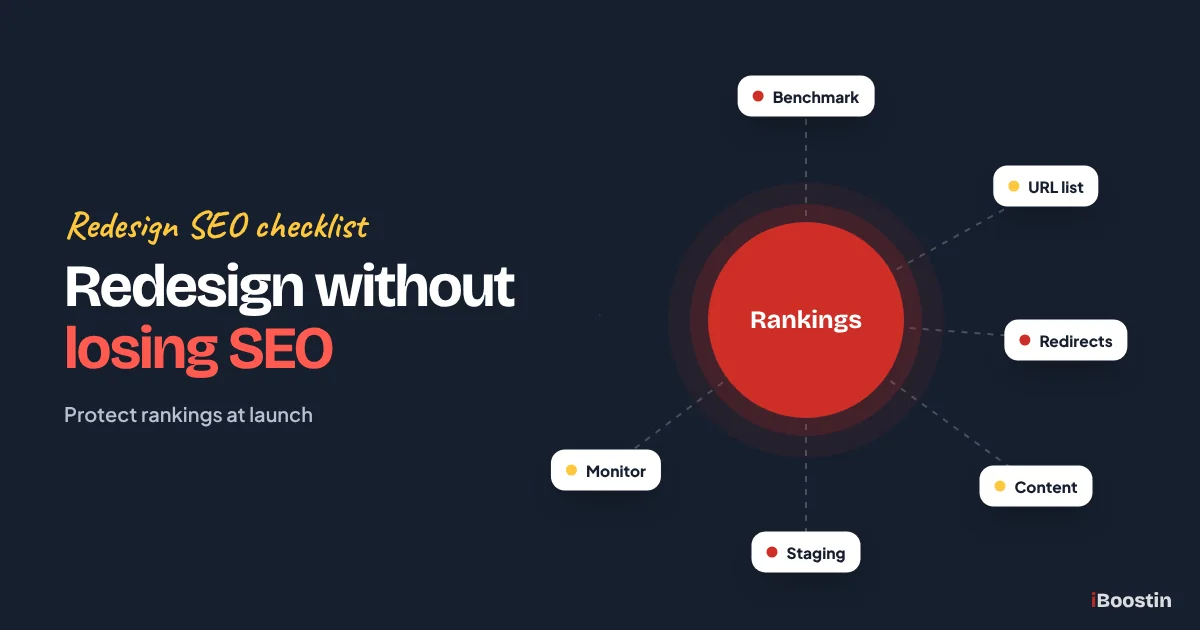
To redesign a website without losing SEO, record your current rankings and traffic, crawl and list every existing URL, keep or improve the content on pages that already rank, map each old URL to its new equivalent with 301 redirects, build the new site on a staging copy hidden from search engines, carry over titles, meta descriptions, headings, internal links and structured data, then launch with a checklist and monitor Search Console closely for at least 30 days.
A redesign is one of the riskiest moments in a website’s life. Done well, it improves rankings, speed and conversions. Done carelessly, it can wipe out years of search visibility overnight. We regularly speak to business owners whose traffic halved after a new site went live, usually because old pages disappeared without redirects or content that ranked was cut to make the design look cleaner.
This guide gives you a complete, practical process, from planning through launch day and the weeks after, written so a business owner can follow it or check that their developer is following it. It is written by the iBoostin team, who plan and launch WordPress redesigns with SEO protection built in. If you are still deciding whether to redesign at all, start with our guide on signs you need a new website.
Key takeaways
- Benchmark before you touch anything: rankings, traffic, top pages, backlinks and conversions.
- Crawl the old site and keep a full URL inventory. Every URL that matters needs a home or a 301 redirect on the new site.
- Keep the content that ranks. Redesign the look, not the substance, unless you are deliberately improving it.
- Build on staging with search engines blocked, then remove the block at launch. Forgetting this is one of the most common disasters.
- Launch with a checklist, submit the new sitemap and watch Search Console daily for the first weeks.
Why Redesigns Lose Rankings
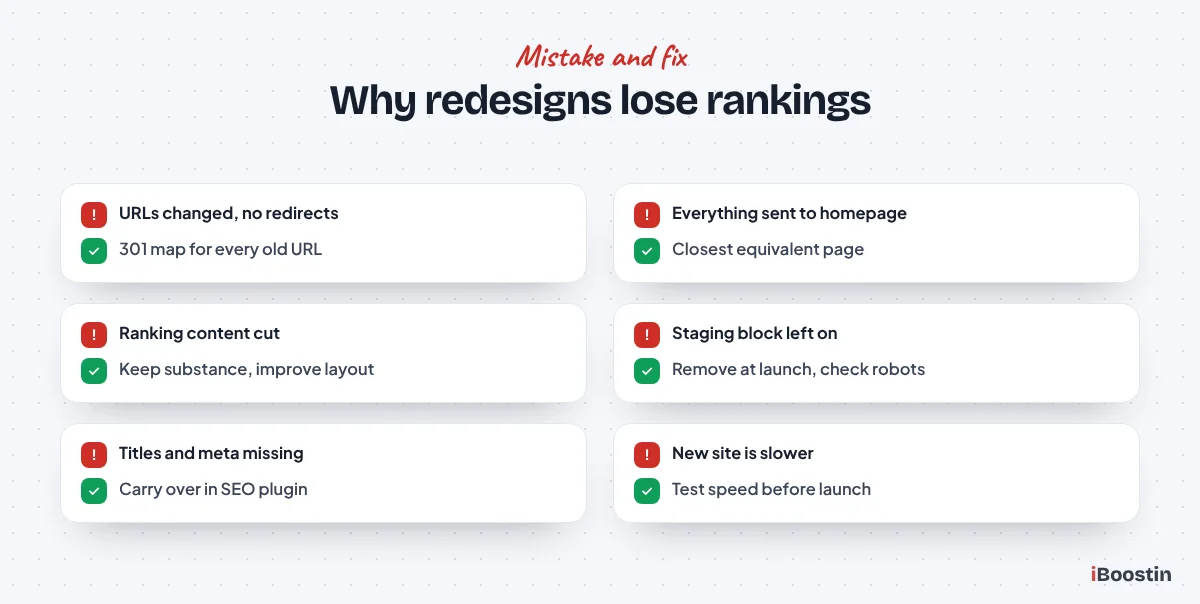
Understanding what goes wrong makes it much easier to avoid. Most ranking drops after a redesign come from a handful of predictable mistakes.
URLs Change Without Redirects
When a page’s address changes and the old URL is not redirected, Google and visitors hit a 404 error. The rankings and links that page built up are lost. This is the single most common cause of traffic loss after a redesign, especially when moving platforms or restructuring the menu.
Even if only the structure changes, such as moving from /services/plumbing to /plumbing, every old URL needs a 301 redirect to its new equivalent.
Content That Ranked Is Removed or Thinned
Designers often favor short text, big images and minimal pages. If the old pages ranked because they answered questions in detail, replacing them with a few lines of text removes the reason they ranked.
The same happens when several old pages are merged into one without care, or when helpful sections are dropped because they did not fit the new layout. Keep the substance of pages that perform, then improve how it is presented.
Technical Settings Go Wrong
New sites often launch with search engines still blocked from the staging phase, missing titles and meta descriptions, broken internal links, missing structured data, slower pages or a different domain version, such as switching from www to non-www without redirects.
Each of these can hurt rankings on its own. Together, they can make a site almost disappear from search for weeks.
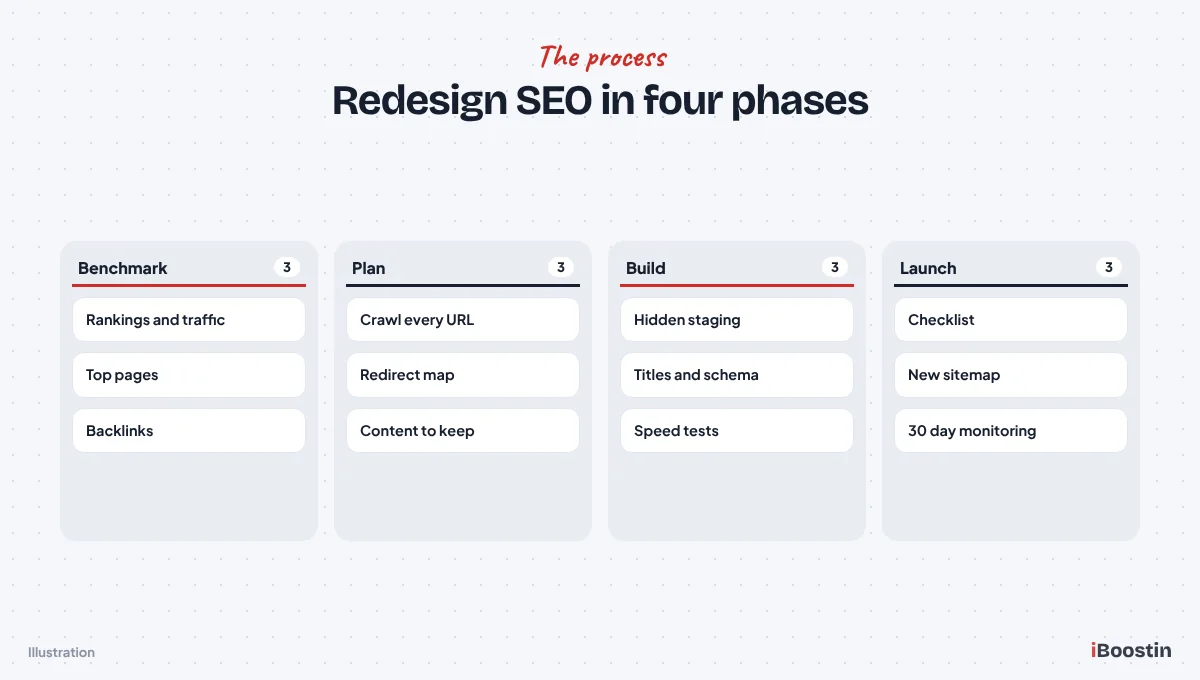
Phase 1: Benchmark Your Current Site
Before any design work starts, record exactly how the current site performs. Without a baseline, you cannot tell whether the redesign helped or hurt, or which pages need attention after launch.
Record Rankings and Traffic
Export at least the last 12 months of data from Google Search Console: queries, pages, clicks, impressions and average position. From Google Analytics, record organic traffic, conversions and the top landing pages from search.
If you use a rank tracking tool, save current positions for your important keywords. Note seasonal patterns, so a normal seasonal dip after launch is not mistaken for redesign damage. Also record page speed results for your key pages, so you can confirm the new site is faster rather than assuming it is.
Identify Your Most Valuable Pages
List the pages that bring the most organic traffic, the most conversions and the most backlinks. These are the pages you must protect most carefully. Use Search Console’s Links report or a backlink tool to see which pages other sites link to.
Mark each page as keep, improve, merge or remove. Pages that rank, convert or have links should almost never be removed without a strong reason and a redirect.
Phase 2: Inventory Every URL
A complete list of existing URLs is the foundation of your redirect plan. Missing URLs become 404 errors after launch.
Crawl the Old Site
Use a crawler such as Screaming Frog to crawl the full site and export every URL with its title, meta description, H1, status code and canonical. Add URLs from your XML sitemap, Search Console’s Pages report and Google Analytics landing pages, because crawlers can miss pages that are not linked internally.
Include images, PDFs and other files that receive traffic or links. They need redirects too if their addresses change.
Record What Each Page Contains
For important pages, save the full content, title tag, meta description, headings, internal links and structured data. Many teams keep a copy of the old site on a separate staging address so they can compare later.
Saving each important page as a PDF or a simple HTML copy takes only a few minutes and removes any guesswork later. This record is invaluable after launch. If a page drops in rankings, you can compare the old and new versions and see exactly what changed.
Phase 3: Plan the New Structure and Content
With the inventory complete, plan the new site’s structure so every valuable old page has a clear home.
Keep URLs Where You Can
The safest redirect is the one you do not need. If a URL works well and makes sense, keep it the same on the new site. Change URLs only when there is a real benefit, such as a clearer structure or removing outdated dates or parameters.
When moving to WordPress from another platform, set the permalink structure to match old URLs where possible. Our guide on how to create a website in WordPress covers permalink settings and other launch basics.
Map Old URLs to New Ones
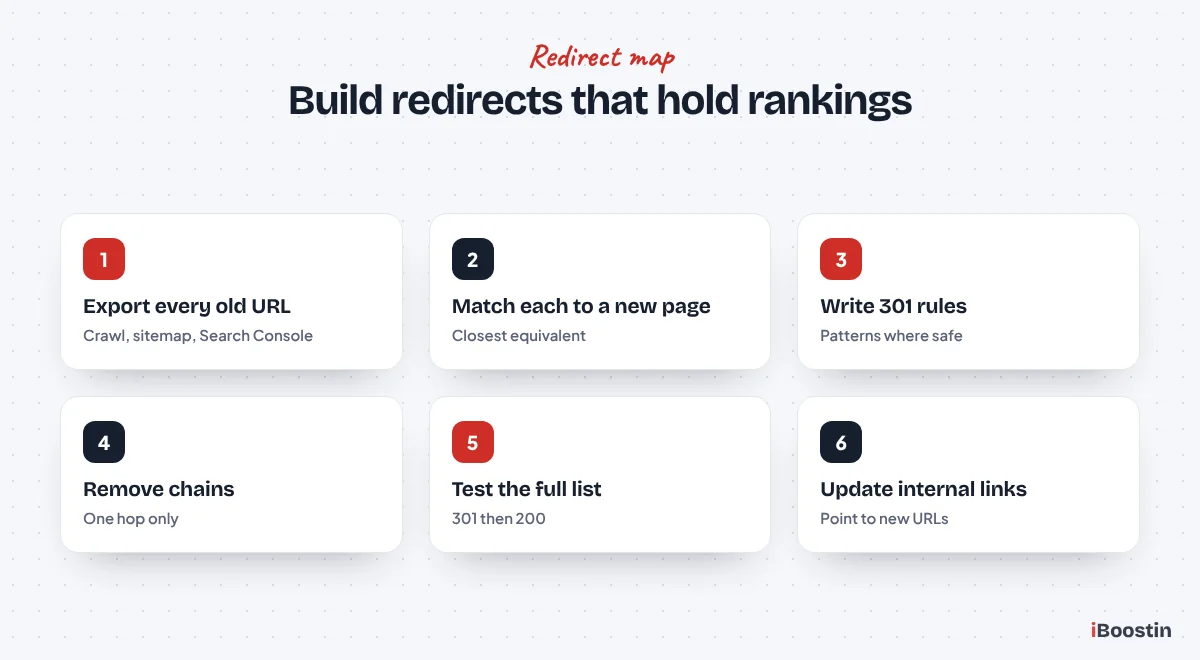
Create a spreadsheet with every old URL in one column and its new destination in the next. Map each page to its closest equivalent, not to the homepage. Redirecting everything to the homepage is treated like a missing page by Google, and visitors arriving from old links get confused.
For pages being removed with no equivalent, redirect to the closest relevant category or service page. Only let a page return 404 or 410 if it truly has no replacement and no value.
Protect and Improve Content
For pages that rank, keep the main topic, the key sections and the information that answers searchers’ questions. Improve readability, update outdated details and add missing information, but do not strip the page back to a few lines for the sake of the design.
If you want to rewrite content significantly, do it on a few pages at a time after launch, so you can see the effect of each change rather than changing everything at once.
Building a Redirect Map That Works
The redirect map deserves its own section because it does more to protect rankings than any other single task. A careful map takes a few hours. A careless one can cost months of traffic.
Rules for Good Redirects
Use 301 redirects, which tell search engines the move is permanent. Send each old URL directly to its final new URL in a single step. Redirect chains, where one URL redirects to another that redirects again, slow down visitors and dilute signals, and they often appear when a site has been redesigned more than once.
Where many URLs follow the same pattern, such as all old blog posts moving from /news/ to /blog/, a pattern rule handles them in one line. Test pattern rules carefully, because one mistake can redirect hundreds of pages to the wrong place.
Where Redirects Live
On WordPress, redirects can be managed with your SEO plugin, a dedicated redirection plugin or at server level. Plugins are easier for most teams to manage and audit. Server-level rules are faster for large sites with thousands of redirects.
Wherever they live, keep a copy of the full redirect map in a spreadsheet. If redirects are lost during a future hosting move or plugin change, you can restore them quickly.
Testing Redirects Before and After Launch
Before launch, test the map on staging if possible. After launch, run every old URL from your inventory through a crawler in list mode and check that each returns a single 301 to the correct page, with the final page returning a 200 status.
Fix any 404s, chains or wrong destinations immediately. Re-run the test a week later, because new problems sometimes appear as caching clears and plugins are updated.
Who Does What in a Redesign
Redesigns involve several roles, and SEO problems usually happen in the gaps between them. Agree responsibilities early.
Designer, Developer and SEO
The designer focuses on layout, branding and user experience. The developer builds the site, sets up templates, plugins and hosting. The SEO specialist protects and improves search visibility: the inventory, redirect map, on-page migration, technical checks and monitoring.
On smaller projects, one person or agency may cover all three. That is fine, as long as SEO tasks are explicitly in the scope and checklist rather than assumed.
Your Role as the Owner
Your job is to supply content, approve decisions and hold everyone to the plan. Ask to see the URL inventory and redirect map before launch, and ask who is responsible for monitoring Search Console afterward.
If nobody can answer those questions clearly, SEO is not properly covered. Our WordPress SEO services can work alongside your designer or developer to fill exactly that gap.
Use the Redesign to Improve SEO, Not Just Protect It
A redesign is not only a risk to manage. It is also an opportunity to fix problems the old site had and build a stronger foundation for growth.
Fix Structure and Internal Linking
Many older sites have messy navigation, orphan pages with no internal links and services buried several clicks deep. The redesign is the right time to organize pages into clear groups, give each main service its own page and link related pages together.
A clear structure helps visitors find what they need and helps search engines understand which pages matter most. Plan it alongside the redirect map, so every old page has a logical place in the new structure.
Improve Speed and Mobile Experience
A new build is the easiest moment to choose a lightweight theme, reduce plugins, optimize images and set up good hosting and caching. These choices are much harder to change later.
Aim for a site that is clearly faster than the old one on mobile. Faster pages tend to keep visitors longer and convert better, which supports rankings over time.
Refresh Content in Stages
Once the new site is stable and rankings have settled, start improving content in planned stages: expanding thin service pages, updating outdated guides and adding pages for questions customers ask. Track each batch of changes so you can see what moves rankings.
Changing structure, design and content all at once makes it hard to diagnose problems. Staging the improvements gives you clearer data and lower risk.
Phase 4: Build on Staging
The new site should be built and tested on a staging copy before anyone sees it on the live domain.
Hide Staging From Search Engines
Block search engines from the staging site using password protection, which is the most reliable option, or WordPress’s “Discourage search engines” setting combined with a noindex rule. A staging site that gets indexed creates duplicate content and can confuse Google about which version is real.
Write a clear reminder in your launch checklist to remove this block at launch. Forgetting to remove it is one of the most common and damaging redesign mistakes.
Carry Over On-Page SEO
Recreate titles, meta descriptions and focus keywords for every important page in your SEO plugin, such as Rank Math or Yoast. Keep one H1 per page with a logical heading structure, preserve image alt text and recreate structured data such as Organization, LocalBusiness, FAQ and Article schema.
Check internal links carefully. Links in menus, footers and body content should point to the new URLs directly rather than relying on redirects. Our guide on whether Elementor is good for SEO covers heading and structure issues common in page builder redesigns.
Test Speed and Mobile Experience
Test key pages on staging with PageSpeed Insights and on real phones. The new site should be at least as fast as the old one, ideally faster. A heavier design can undo the SEO benefit of everything else.
Check forms, menus, buttons and any tools such as booking or checkout on several devices and browsers before launch. Ask someone who has not worked on the project to try the main tasks, such as finding a service and sending an enquiry, because fresh eyes spot problems the team has stopped noticing.
Phase 5: Launch Day Checklist
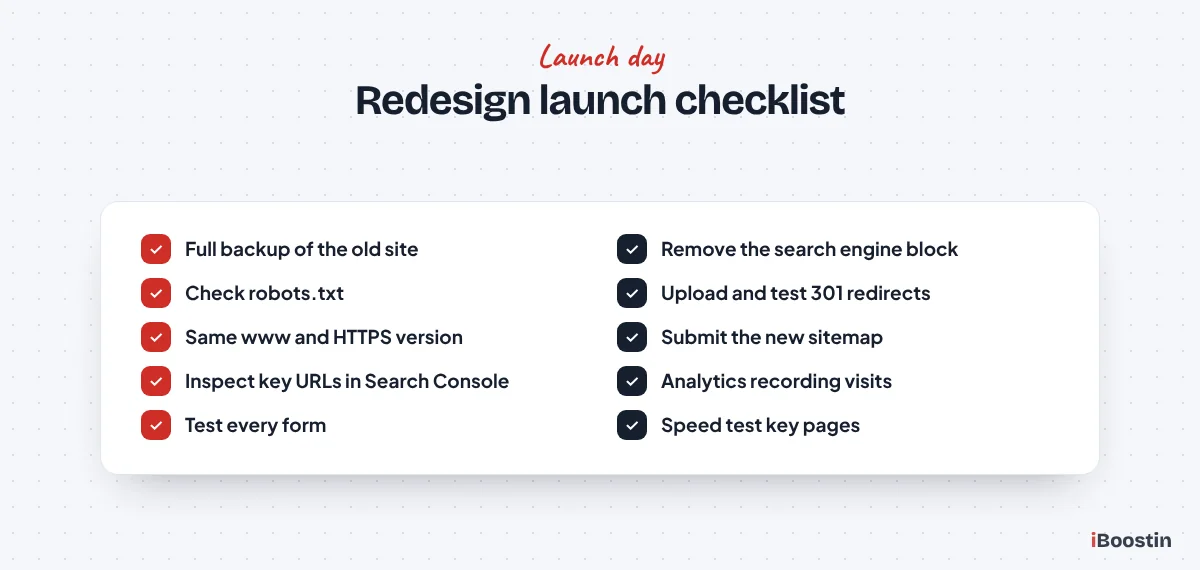
Launch day should follow a written checklist, not memory. Pick a quieter day and time for your business, and avoid launching right before a weekend or holiday when nobody is around to fix problems.
Before You Switch
Take a full backup of the old site and keep it available. Confirm the redirect map is final and ready to upload, the analytics and tag manager code is installed on the new site, and the domain version (www or non-www, HTTPS) matches the old site.
Lower the DNS time-to-live a day in advance if the launch involves moving hosts, so the switch spreads quickly. Agree who is doing what during launch and who will test afterward. Small teams can launch smoothly if roles are clear.
Immediately After Launch
Remove the search engine block and check that robots.txt does not block important sections. Upload and test redirects: check a sample of old URLs, including your most valuable pages, to confirm each lands on the right new page with a single 301 redirect.
Submit the new XML sitemap in Search Console, check that the homepage and key pages can be fetched with the URL Inspection tool, confirm analytics is recording visits and submit test enquiries through every form.
Phase 6: Monitor for 30 Days and Beyond
The first weeks after launch are when problems surface. Monitoring closely lets you fix them before they cause lasting damage.
What to Watch in Search Console
Check the Pages report for new “not found” errors and fix them with redirects. Watch the Performance report for drops in clicks and impressions, comparing with the same period before launch and allowing for seasonality. Look at Core Web Vitals and any security or manual action messages.
Use the URL Inspection tool on important pages to confirm they are indexed with the correct canonical, and request indexing for your most important new or changed pages to speed up recrawling. Recrawl the new site with your crawler to catch broken links, redirect chains and missing titles.
What to Expect
Some movement in rankings is normal for a few weeks as Google recrawls and reprocesses the site. A well-executed redesign usually stabilizes and often improves. A sharp, sustained drop, especially on specific pages, points to a problem worth investigating.
When a page drops, compare it with your saved copy of the old version. Look for a missing redirect, lost content, a changed title, missing internal links or a slower page, then fix what changed.
Special Cases: Platform Moves, Domain Changes and Mergers
Some redesigns involve bigger changes than a new look. These need extra planning.
Moving to a New Platform
Moving from Wix, Squarespace, Shopify or a custom system to WordPress almost always changes URLs, so a complete redirect map is essential. Different platforms also generate different technical structures, such as category pages, tag pages and image URLs, which need checking.
Our guide on WordPress vs Wix for small business covers what to expect when moving from Wix specifically. Our WordPress development services include platform migrations with full redirect mapping and SEO checks.
Changing Domain Name
A domain change adds risk on top of the redesign. Ideally, change only one major thing at a time: launch the redesign first, let it settle, then change the domain, or the other way round. If both must happen together, redirect every old URL on the old domain to its exact new equivalent and use Search Console’s Change of Address tool.
Keep the old domain registered and redirecting for the long term. Many links and bookmarks will keep using it for years. Letting it expire throws away links and can let someone else take it.
Merging Several Sites or Many Pages
When merging sites or consolidating many thin pages into fewer, stronger ones, map each old page to the most relevant new page and bring over the useful content. Merged pages often perform better than the individual pages did, provided the content and redirects are handled carefully.
Before merging, check which of the old pages ranks best and for which searches. Use the strongest page’s URL for the merged version where possible, so you keep its history, and make sure the new page covers every question the old pages answered.
Extra Checks for Local Businesses
Local businesses depend on map results and local searches as much as on general rankings. A redesign can disturb these signals if a few details are missed.
Keep Your Business Details Consistent
Make sure your business name, address, phone number and opening hours appear on the new site exactly as they did before, and exactly as they appear on your Google Business Profile. Recreate LocalBusiness structured data on the new site with the same details.
If location or service area pages change URLs, redirect them carefully and update the website link in your Google Business Profile and major directory listings so they point straight to the right page.
Protect Location and Service Area Pages
Pages targeting specific towns or areas often bring in some of the most valuable local traffic. Keep their content specific and useful on the new site rather than replacing them with a generic template.
After launch, check that these pages are indexed, that they still rank for their main local searches and that calls and form submissions from them continue as before.
How Long a Redesign Should Take
Rushing a redesign is one of the main reasons SEO steps get skipped. Build enough time into the plan for benchmarking, content work, testing and a careful launch.
Planning the Timeline
For a small business site, allow time for the URL inventory and redirect map before design starts, then for content migration and on-page SEO during the build, and for thorough testing before launch. Content preparation is usually the step that takes longest.
Our guide on how long it takes to build a WordPress website breaks down typical timelines and what affects them.
Do Not Launch Before a Busy Season
If your business is seasonal, launch well before your busy period, not during it. That gives Google time to process the changes and gives you time to fix problems before the months that matter most.
The same applies to big campaigns. If you are about to launch advertising, a promotion or a product, avoid launching the new website at the same moment. Separating the two makes it far easier to see what is working and to fix problems calmly.
Frequently Asked Questions About Redesigning Without Losing SEO
Will redesigning my website affect SEO?
It can, positively or negatively. A redesign that keeps valuable content, redirects old URLs, carries over on-page SEO and improves speed usually maintains or improves rankings. One that changes URLs without redirects, removes content or launches with indexing blocked can cause large drops.
How do I keep my SEO when changing website design?
Benchmark rankings and traffic, crawl and list every URL, keep or improve content on pages that rank, map old URLs to new ones with 301 redirects, carry over titles, meta descriptions, headings and schema, build on a hidden staging site, launch with a checklist and monitor Search Console for at least 30 days.
Do I need 301 redirects for a website redesign?
Yes, for every URL that changes. A 301 redirect tells Google and browsers that a page has moved permanently and passes its ranking signals to the new address. Redirect each old page to its closest new equivalent rather than the homepage.
How long does it take to recover SEO after a redesign?
When a redesign is done well, rankings usually settle within a few weeks as Google recrawls the site. If important redirects or content were missed, recovery depends on how quickly the problems are found and fixed. Monitoring Search Console daily after launch shortens recovery time.
Should I change my URLs during a redesign?
Only when there is a clear benefit. Keeping existing URLs is the safest option. If you do change them, map every old URL to its new equivalent with 301 redirects and update internal links to point directly to the new addresses.
What is the biggest SEO mistake in a website redesign?
Missing redirects for changed URLs is the most common cause of traffic loss. Launching with search engines still blocked from the staging phase and removing content that ranked are also very common and very damaging.
Should I hire an SEO specialist for a redesign?
If your site gets meaningful traffic or leads from search, involving someone with redesign SEO experience is worth it. They handle the URL inventory, redirect map, on-page migration and post-launch monitoring that designers and developers often overlook.
Redesign the Look, Protect the Foundations
A redesign is a chance to improve how your website looks, loads and converts. With careful planning, it can also improve your rankings. The key is treating SEO as part of the project from the start rather than something to fix after launch.
Benchmark, inventory every URL, protect the content that ranks, redirect everything that moves, build on hidden staging, launch with a checklist and monitor closely. Follow those steps and your new site should keep, and often grow, the visibility your old site earned.