In this guide
- What Is Keyword Research for a Small Business?
- Step 1: Start With Your Services, Area and Customers
- Step 2: Collect Ideas From Free Google Sources
- Step 3: Sort Keywords by Search Intent
- Step 4: Check Whether You Can Actually Win
- Step 5: Find Gaps Your Competitors Leave Open
- Step 6: Map Every Keyword to One Page
- Local Keyword Research for Small Businesses
- Common Keyword Research Mistakes
- Doing Keyword Research Yourself vs Getting Help
- Frequently Asked Questions About Keyword Research for Small Business
- Keyword Research Decides What Everything Else Can Achieve
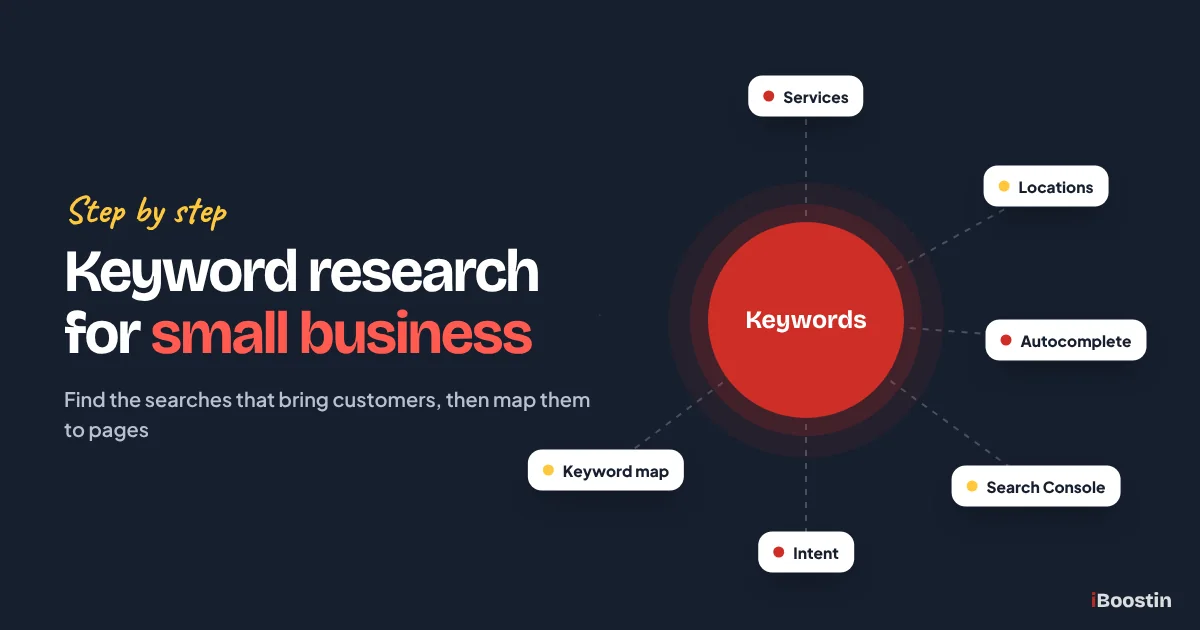
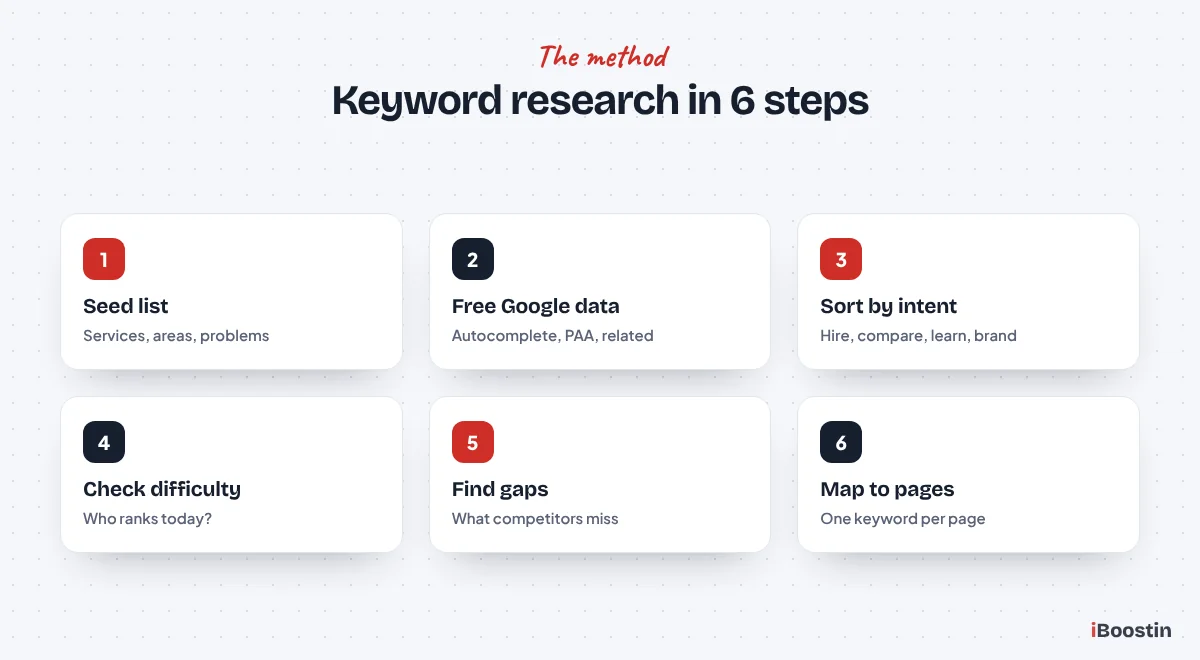
To do keyword research for a small business, list your services and the places you serve, collect the words customers actually use from Google suggestions and Search Console, sort each keyword by what the searcher wants, check who ranks today, and assign every keyword to one page on your site. Start with searches you can win, not the biggest ones.
Most small business owners skip this step or do it backwards. They write a page, then try to think of keywords for it. Or they open a keyword tool, sort by search volume and chase the biggest number on the list, a term dominated by national brands. Months later the page has impressions but no clicks, because it is competing for a search it was never going to win.
This guide shows the method we use at iBoostin to plan keywords for small business websites, using mostly free tools: how to find the searches that bring customers, how to judge whether you can win them, and how to turn the list into a page plan your website can actually follow. It is one part of our wider guide to SEO for small business, and it is the step that decides whether everything after it works.
Key takeaways
- Good keyword research for a small business starts with your services, your area and your customers’ problems, not with a tool.
- Google autocomplete, People Also Ask, related searches and Search Console give you most of what you need for free.
- Sort every keyword by intent: people ready to hire, people comparing options and people looking for information need different pages.
- Judge difficulty by looking at who ranks today. If the top results are small businesses and directories, you can compete.
- Finish with a keyword map: one main keyword per page, with no two pages chasing the same search.
What Is Keyword Research for a Small Business?
Keyword research is finding the words and phrases people type into Google when they need what you sell, then deciding which of those searches your website should target. For a small business, it is less about big search numbers and more about finding the searches that come from real buyers in the places you serve.
Why It Matters More Than Most Owners Think
Every page on your site can realistically win only a handful of closely related searches. If you choose those searches badly, the page can be beautifully written and still bring nobody. Keyword research decides which pages you need, what each one should be about and which words it should use, so it shapes the whole website.
It also stops you wasting months. In our audits, the most common reason a small business site has plenty of impressions but almost no clicks is that its pages target searches it cannot win yet, or searches made by people who are not looking to buy. Fixing the targets often moves more than any amount of new content.
Big Keywords vs Winnable Keywords
The biggest keywords in your industry, like “dentist”, “lawyer” or “marketing agency”, look attractive because so many people search them. They are also where national brands, directories and long-established businesses sit. A small or new site can spend a year on them and never reach page one.
Winnable keywords are more specific: a service plus a town, a sub-service, a problem customers describe in their own words. Each one has fewer searches, but the people searching are closer to buying and the competition is weaker. A site that wins twenty of these usually gets more customers than a site stuck on page six for one big term.
Step 1: Start With Your Services, Area and Customers
Before opening any tool, write down what you already know. The best keyword lists start from the business itself, because tools only expand the ideas you give them. Ten minutes here saves hours of filtering irrelevant suggestions later.
List Every Service in Your Customers’ Words
Write down every service you offer, then rewrite each one the way a customer would say it. Businesses often use trade terms that nobody searches. A clinic might say “dental prophylaxis” while patients search “teeth cleaning”. An accountant might say “management accounts” while owners search “monthly bookkeeping”.
Ask your team what customers say on the phone, look at the words used in enquiry emails and read your reviews. Those phrases are often your best keywords, because they are exactly how people describe the job when they need it done.
Add the Places You Serve
Most small businesses serve a specific area, so location is part of the search. List your city or town, nearby towns you work in, neighborhoods, and the region. People search “plumber in Sharjah”, “accountant Leeds city centre” or “roofer near me”, and Google uses the searcher’s location for “near me” searches.
Combine services and locations to see the backbone of your local keyword list: every main service paired with every main area. Not every combination will need its own page, but listing them shows you where demand might be.
Write Down the Problems Customers Have
Customers often search the problem before they search the service. Someone with a leaking water heater searches “water heater leaking from bottom” before “water heater repair”. A business owner searches “why is my website not on Google” before “technical SEO services”. These problem searches are usually less competitive.
Problem keywords make excellent blog topics that link to the service that solves them. They also feed the questions AI tools answer, which helps your business get mentioned there. We cover that side in how to get your business mentioned in ChatGPT.
Step 2: Collect Ideas From Free Google Sources
Google tells you a lot about what people search, for free. These sources show real searches rather than estimates, and they are the starting point we use before any paid tool.
Google Autocomplete
Type a service into Google slowly and watch the suggestions. Then add letters after it, like “plumber a”, “plumber b”, and words like “for”, “near”, “cost”, “best” and “how”. Autocomplete shows searches people actually make, often with modifiers you would not think of, such as “emergency”, “same day” or “for small business”.
Use a private browser window so your own history does not skew the suggestions, and set your location to the area you serve if you can. Note every relevant suggestion in a spreadsheet. Even five minutes per service gives you dozens of real searches.
People Also Ask and Related Searches
Most results pages include a “People also ask” box with questions related to your search. Click one and more appear. These are the questions customers have before they buy, and they make strong FAQ entries and blog topics. At the bottom of the page, “related searches” show more variations.
Record the questions word for word. If several services produce similar questions, that is a signal the topic matters to your customers. These questions are also exactly the kind of thing AI Overviews and chat assistants answer, so covering them clearly helps you there too.
Google Search Console
If your website is live, Search Console is the most valuable free source you have. The Performance report, under Queries, lists the searches where your site already appeared, with impressions, clicks and average position. These are real searches from Google itself, not estimates.
Look for queries with impressions but few clicks and positions between roughly eight and twenty. Google already considers you relevant for them, so a better page often moves you onto page one quickly. These are the fastest wins in keyword research, and most owners never look at them.
Google Keyword Planner and Paid Tools
Google Keyword Planner, inside a Google Ads account, gives search volume ranges and more keyword ideas. It was built for advertisers, so the ranges are broad, but it is a free way to compare which phrases get more searches. Paid tools like Semrush and Ahrefs add more precise volume estimates, keyword difficulty scores and competitor data.
You do not need paid tools to start, but they save time on bigger projects. Treat their numbers as estimates: volume for small local searches is often shown as very low or zero even when real people search it. That is why we always combine tool data with what Google itself shows.
Step 3: Sort Keywords by Search Intent
Every search has a purpose behind it. Matching each keyword to that purpose decides which type of page should target it. Put a sales page in front of someone wanting instructions, or a guide in front of someone ready to hire, and the page will struggle to rank and to convert.
The Four Intent Types That Matter
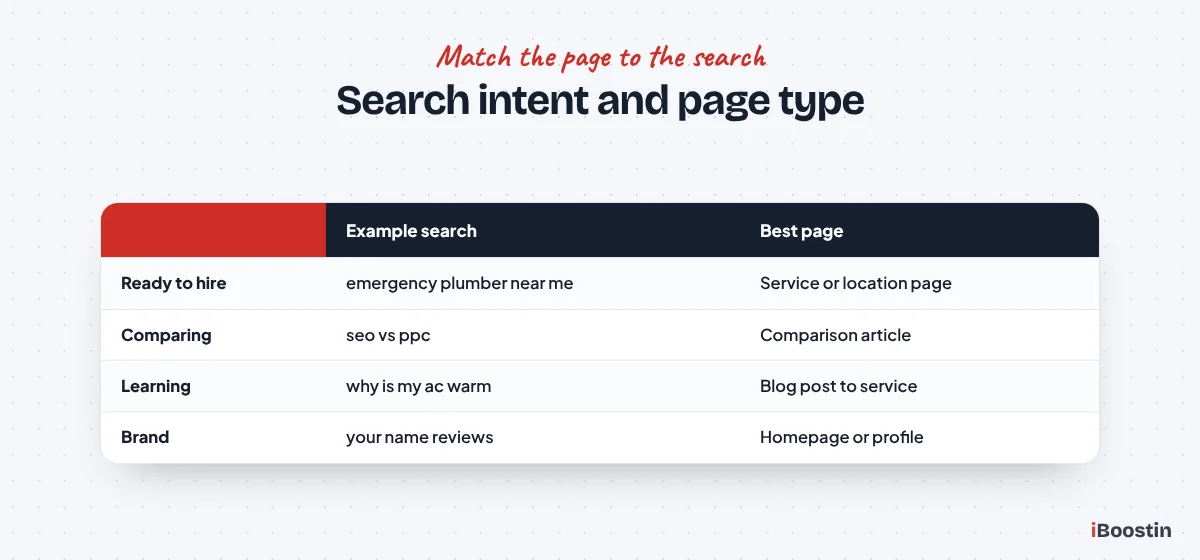
Searches with buying intent, like “emergency electrician Dallas” or “bookkeeping services for contractors”, come from people ready to hire. They belong on service pages and location pages. Comparison searches, like “best accounting software for small business” or “SEO vs PPC”, come from people weighing options and suit comparison articles.
Information searches, like “how often should a boiler be serviced”, come from people learning, and they suit blog posts that link to your service. Brand searches, like your business name plus “reviews”, come from people who already know you and should land on your homepage, reviews or Google Business Profile.
| Intent | Example search | Best page type |
|---|---|---|
| Ready to hire | emergency plumber near me | Service page or location page |
| Comparing options | seo vs ppc for small business | Comparison article |
| Looking for information | why is my ac blowing warm air | Blog post linking to the service |
| Brand | your business name reviews | Homepage, reviews page, Business Profile |
Check Intent by Looking at the Results
The fastest way to confirm intent is to search the keyword and look at what Google already ranks. If the top results are service pages and a map, the intent is to hire. If they are guides and articles, the intent is information. If they are lists of “best” options, people are comparing.
Google has already tested what satisfies each search, so follow its lead. When the results are mixed, the search has mixed intent, and you can often win with a page that serves both, such as a service page with a strong FAQ section.
Step 4: Check Whether You Can Actually Win
A keyword is only useful if your site can realistically rank for it within a reasonable time. Difficulty scores in paid tools help, but the most reliable check is free: look at who ranks today and how strong they are.
Read the Results Page Like a Competitor
Search the keyword in a private window and study the first page. Are the top results small local businesses, directories and thin pages? Or national brands, big publishers and pages with years of content? Note whether a map pack appears, whether ads fill the top and whether there is an AI Overview.
If you see businesses similar to yours, with pages no better than what you could write, the keyword is winnable. If page one is all household names, park that keyword for later and look for a more specific version you can win first.
What Difficulty Scores Really Tell You
Tools like Semrush and Ahrefs give each keyword a difficulty score, mostly based on how many strong links the ranking pages have. A low score usually means fewer links are needed to compete. It is a useful shortcut, but it does not account for local results, page quality or how relevant your business is.
For a new website, start with keywords where the score is low and the results include small businesses. As your site earns links and reviews, you can take on harder terms. In our planning, we tag every keyword as a quick win, a medium target or a long-term target, so the content plan follows the site’s growing authority.
Pro tip: a keyword with very low volume can still be worth targeting if one customer is valuable. Ten searches a month for “commercial kitchen extraction cleaning” in your city may bring more revenue than a thousand searches for a general term.
Step 5: Find Gaps Your Competitors Leave Open
Your competitors have already shown you a lot about what works. Looking at what they rank for, and what they miss, quickly adds keywords you would not have found on your own.
Study the Pages That Rank
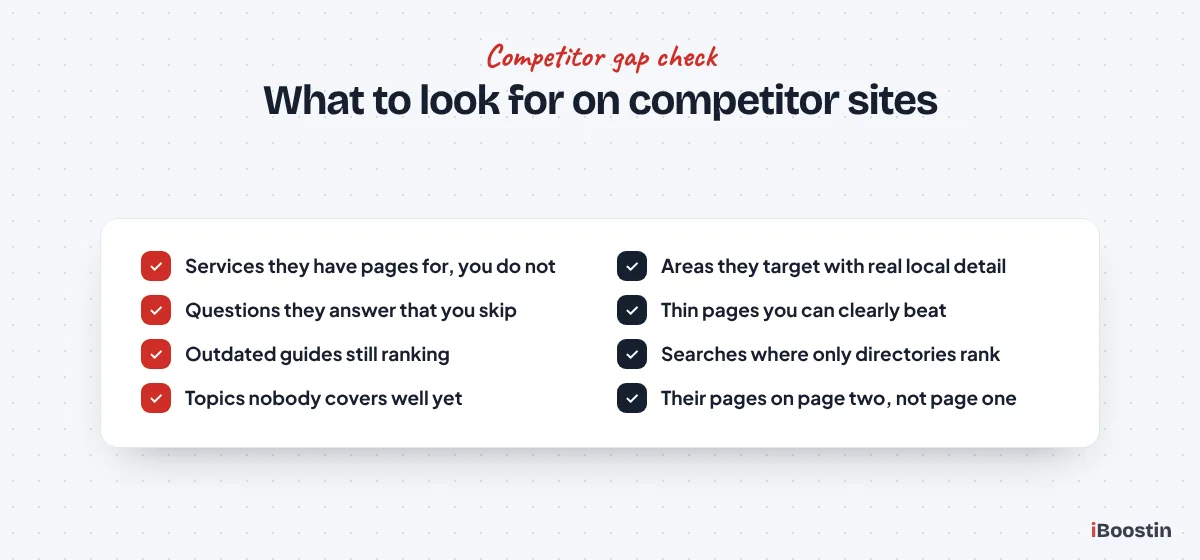
Pick three competitors who rank well in your area. List their service pages, location pages and articles, and note which searches each page seems to target from its title and headings. If several competitors have a page for a service you offer but you do not, that is a gap on your site.
Paid tools can show the keywords a competitor ranks for and where you do not, often called a keyword gap report. Without them, a site search like site:competitor.com plus a service name shows which of their pages Google has for that topic.
Look for What They Do Badly
Gaps are not only missing pages. They are also pages that exist but answer the question poorly: thin service pages, outdated guides, no FAQ, no local detail. When the ranking pages are weak, a clearly better page can overtake them even on a newer site.
Note the questions competitors leave unanswered, the local details they skip and the comparisons they avoid. These become the sections that make your page more useful than theirs, which is the most reliable way to outrank an established competitor.
Step 6: Map Every Keyword to One Page
A list of keywords is not a plan. The final step turns the list into a map that says which page targets which searches. Without it, pages end up competing with each other, and important searches have no page at all.
Group Keywords That Belong Together
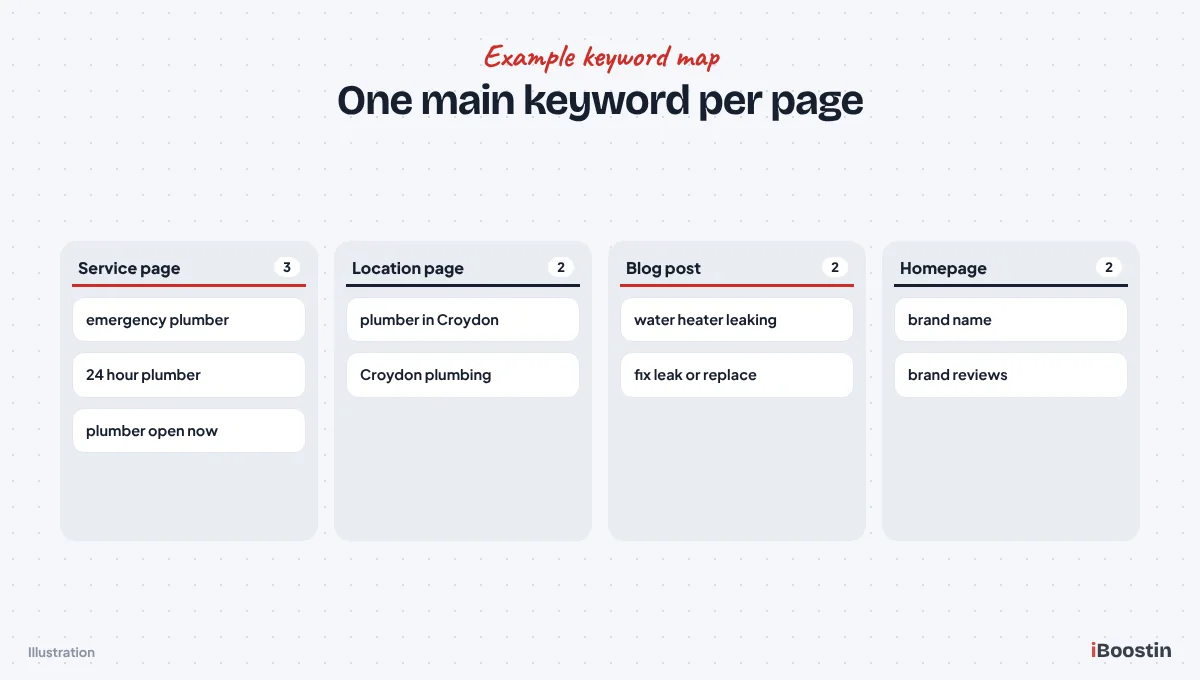
Group keywords that mean the same thing or would be answered by the same page. “Emergency plumber”, “24 hour plumber” and “plumber open now” usually belong on one emergency service page. “Teeth whitening cost” and “how much is teeth whitening” belong on the same page or section.
A quick test: search two keywords and compare the results. If Google shows mostly the same pages for both, they belong together. If the results are different, they probably need separate pages.
One Main Keyword per Page
Give each page one main keyword and a few close variations. The main keyword goes in the title, the H1 and the opening paragraph. Variations and related questions go in headings and body text where they fit naturally. Write for the reader first; the keyword placement should read like normal language.
Keep a simple spreadsheet with columns for page URL, main keyword, supporting keywords, intent and status. Before creating any new page, check the map to make sure no existing page already targets that search. This prevents two of your pages from competing for the same keyword, a problem often called keyword cannibalization.
Turn the Map Into a Content Plan
Sort the map by priority. Service and location pages for winnable buying searches come first, because they bring customers. Next come pages already ranking on page two that need improving. Then supporting articles that answer customer questions and link to the service pages.
That order matches how we build small business sites: money pages first, then the content that strengthens them. Once the pages exist, our small business SEO checklist covers the on-page work that helps each one rank.
Local Keyword Research for Small Businesses
For local businesses, keyword research has an extra layer: location. Google treats local searches differently, often showing a map pack above the normal results. Your keyword plan needs to cover both the map and the organic results.
Local Modifiers and “Near Me” Searches
Local searches come in two forms. Explicit ones include a place: “dentist in Dubai Marina”, “electrician Croydon”. Implicit ones do not, but Google treats them as local anyway: “dentist near me”, “emergency electrician”, “coffee shop open now”. For implicit searches, Google uses the searcher’s location.
You cannot put “near me” in a sensible way on every page, and you do not need to. Strong service pages, clear location information and a complete Google Business Profile are what win implicit local searches. Explicit place names belong in service area and location pages where you genuinely serve that area.
Keywords for Your Google Business Profile
Your Business Profile ranks in the map pack based mainly on relevance, distance and prominence. Keyword research feeds relevance: choose the primary category that matches your most important search, add secondary categories and list your services using the words customers search.
Do not stuff keywords into your business name. It breaks Google’s guidelines and can get your profile suspended. Use your real name, the right categories and a description and services list written in customers’ language. Our guide on how to rank higher on Google Maps covers every profile setting.
Common Keyword Research Mistakes
These are the mistakes we fix most often when we review a small business keyword plan. Each one wastes months of effort if it goes unnoticed.
Chasing Volume Instead of Buyers
A keyword with thousands of searches looks better on a spreadsheet than one with fifty. But if the thousands are students, researchers or people outside your area, they will not become customers. Fifty searches from people ready to hire in your town can be worth far more.
Always ask who is searching and why. Filter out searches with the wrong intent, the wrong location or the wrong type of customer, even if the volume is tempting. The goal is enquiries, not traffic for its own sake.
Trusting Zero Volume Too Much
Keyword tools often show zero or very low volume for specific local and niche searches, because their data samples are limited. Owners then skip keywords that real customers actually use. We regularly see pages rank for “zero volume” searches and bring steady enquiries.
If a search appears in Google autocomplete, in People Also Ask or in your own Search Console data, real people use it, whatever the tool says. Use tool volume to compare keywords, not as proof that a search does not exist.
Two Pages Targeting the Same Search
When a blog post and a service page both target “kitchen remodeling in Austin”, Google has to choose between them and often ranks neither well. This happens easily on sites that add content over time without a keyword map.
Check Search Console for queries where two of your pages swap positions. Decide which page should own the search, refocus the other on a different angle and link from the secondary page to the main one. The keyword map prevents this from happening again.
Doing Keyword Research Yourself vs Getting Help
You can do solid keyword research for a small business with free tools and a few focused hours. Where it gets harder is competitive markets, many services and locations, or a site that already has dozens of pages competing with each other.
When You Can Do It Yourself
If you offer a handful of services in one area, follow the six steps above and build a simple map in a spreadsheet. Start with your main services plus your town, add the questions from People Also Ask, check the results pages and assign one page per keyword. Review Search Console monthly to spot new opportunities.
Revisit the plan every few months. Your Search Console data grows, competitors change and new questions appear. Keyword research is not a one-time job, but after the first full pass, keeping it current takes far less time.
When It Pays to Bring in a Specialist
Bring in help when you serve many locations or services, compete with strong national players, or have an existing site with cannibalization and pages stuck on page two. Experience matters most in judging which keywords are worth the effort and how to structure pages so they support each other.
Our keyword research services deliver a full keyword and page map built from your services, area, competitors and Search Console data. If you want the whole job handled, including pages, content and authority, our SEO services cover it from research to rankings, and our content writing service turns the plan into pages.
Frequently Asked Questions About Keyword Research for Small Business
How do I find keywords for my small business?
List your services in customers’ words, add the places you serve and the problems customers describe. Then collect real searches from Google autocomplete, People Also Ask, related searches and the Queries report in Google Search Console. Check search volume with Keyword Planner or a paid tool, and assign each keyword to one page on your site.
Can I do keyword research for free?
Yes. Google autocomplete, People Also Ask, related searches, Google Search Console and Google Keyword Planner are all free and cover most of what a small business needs. Paid tools like Semrush and Ahrefs add more precise volume, difficulty scores and competitor data, which helps on bigger sites and competitive markets.
How many keywords should a small business target?
Aim for one main keyword per page plus a few close variations. A typical small business site might target ten to thirty main keywords across its service, location and blog pages. Start with the most valuable winnable ones and add more as your site grows, rather than spreading thin across hundreds at once.
What keyword difficulty should a new website target?
A new website should start with low difficulty keywords where the top results include small businesses, directories or thin pages. Difficulty scores vary between tools, so always check the results page yourself. As your site earns links, reviews and rankings, move on to medium and then harder keywords.
Are long-tail keywords better for small businesses?
Usually yes. Long-tail keywords are longer, more specific searches like “emergency boiler repair in Croydon”. They have fewer searches but less competition and clearer buying intent. For a small business, a set of long-tail keywords often brings more customers than one broad keyword it cannot rank for.
How often should I redo keyword research?
Do a full keyword plan once, then review it every three to six months. Check Search Console monthly for new queries and pages stuck on page two. Revisit the plan when you add services or locations, when competitors change, or when your rankings shift noticeably after a Google update.
Should I use “near me” in my keywords?
Usually not literally. Google treats “near me” searches as local and uses the searcher’s location to choose results. Win them with strong service pages, clear location information, a complete Google Business Profile and steady reviews. Use real place names on pages for areas you genuinely serve instead.
Keyword Research Decides What Everything Else Can Achieve
Every page, article and link you build depends on the searches you chose at the start. Good keyword research for a small business is not about finding the biggest numbers. It is about finding the searches real buyers use in your area, choosing the ones you can win and giving each its own focused page.
Spend a few hours on the six steps in this guide and you will have a plan most of your competitors do not. If you would rather start from a finished plan built on competitor and Search Console data, our team can research it for you and show you exactly which pages to build first.